end-to-end payment journey walkthrough
this walkthrough guides you through a complete sandbox payment lifecycle using our standard server-to-server integration. follow these sequential steps to simulate an API request, user authorization, and webhook settlement.
step 1: create a sandbox payment order
make a secure POST request to the divit sandbox gateway. replace your_api_key with your active sandbox key.
curl -X POST https://sandbox-api.divit.dev/directpay/o/order \
  -H 'api-key: your_api_key_here' \
  -H 'Content-Type: application/json' \
  -d '{
    "order": {
      "totalAmount": {
        "amount": 52000,
        "currency": "HKD"
      },
      "expiredAt": 1823140914,
      "merchantRef": "SANDBOX-REF-001",
      "merchantUniqueOrderID": "SANDBOX-UNIQUE-99",
      "webhookSuccess": "https://your-storefront.com/success",
      "webhookFailure": "https://your-storefront.com/cancel",
      "webhookEvents": "https://your-webhook-endpoint.com/divit",
      "language": "en"
    },
    "customer": {
      "firstName": "Stephen",
      "lastName": "Chow",
      "email": "stephen.chow@example.com",
      "tel": "+85293920190"
    }
  }'
JSON response received
our gateway responds with status 200 OK and the target checkout redirect URL:
{
  "code": 0,
  "message": "OK",
  "data": {
    "redirectURI": "https://sandbox-pay.divit.dev/request/fps/0f5918cb-d568-4e22-a58e-d9ae1dd6d9e?signature=tpvWNGFYVu16R5dCOyK3qraB9Rxpf5NnQOz9",
    "orderID": "0f5918cb-d568-4e22-a58e-d9ae1dd6d9d8",
    "token": ""
  }
}
step 2: redirect the customer
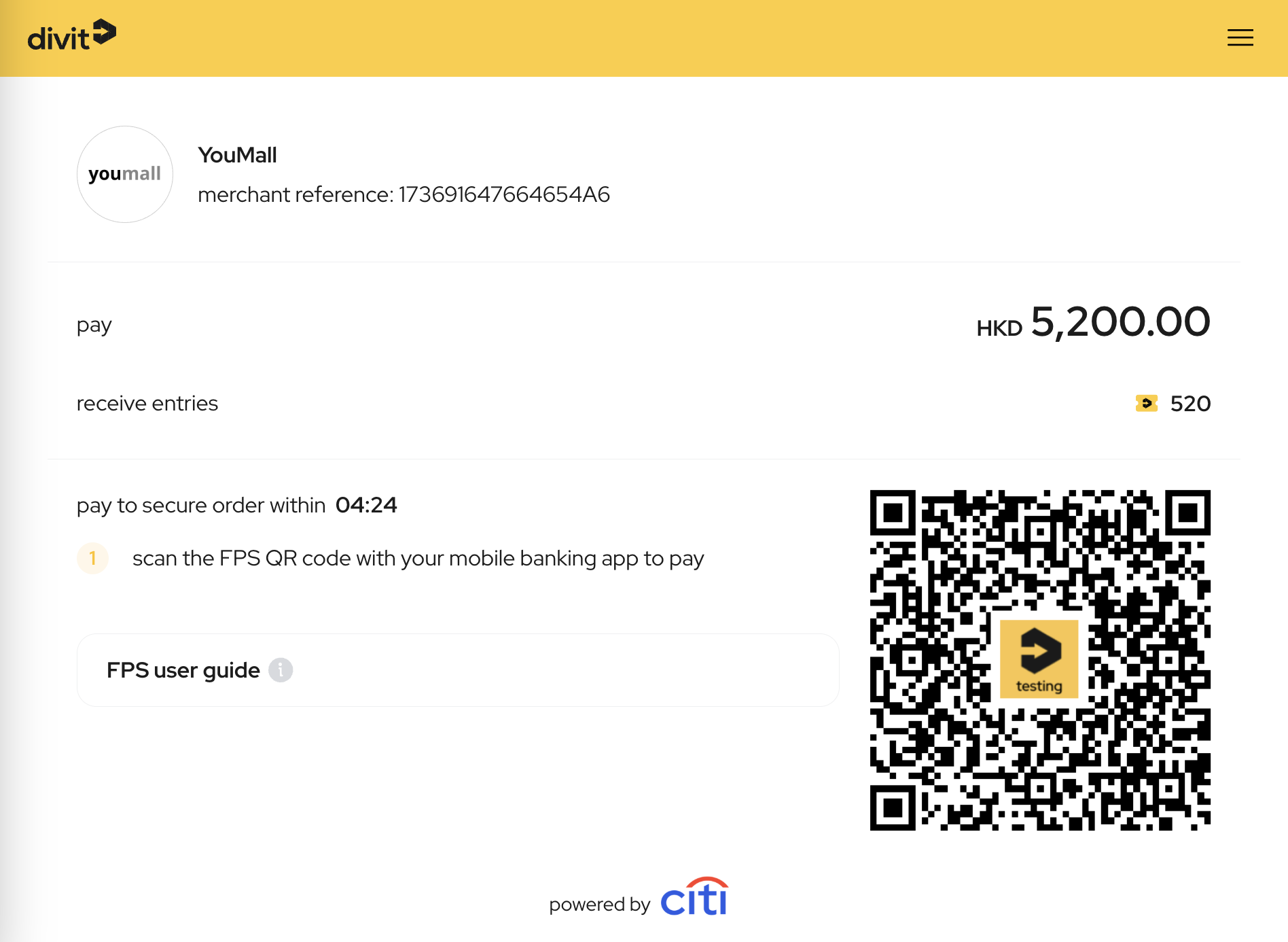
redirect your customer's browser session to the returned redirectURI value. the customer will see the standard divit checkout interface containing an FPS QR code and payment instructions.
step 3: authorize the payment
to simulate a mobile payment authorization without real funds:
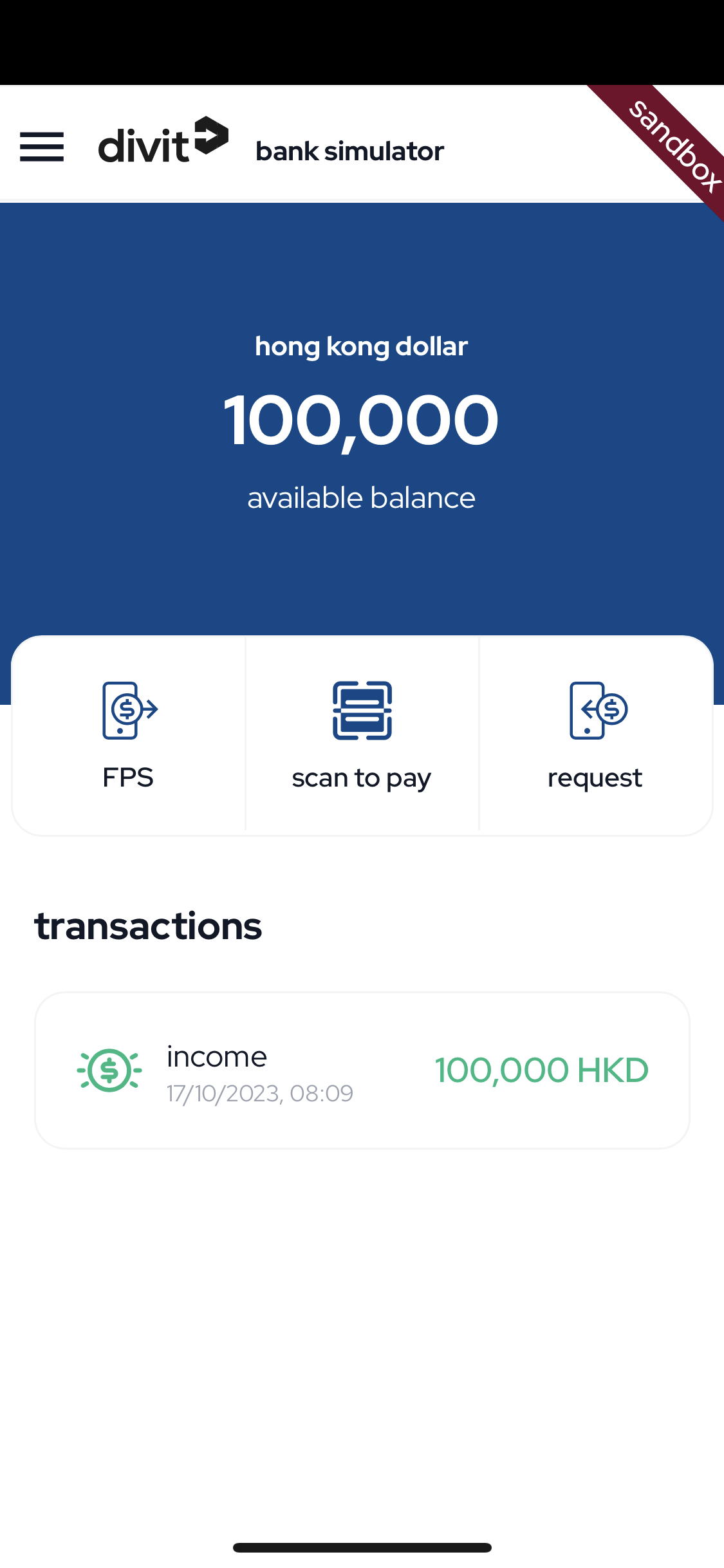
- open the payment simulator on a mobile device at bank.divit.dev.
- scan the FPS QR code shown on your sandbox checkout screen.
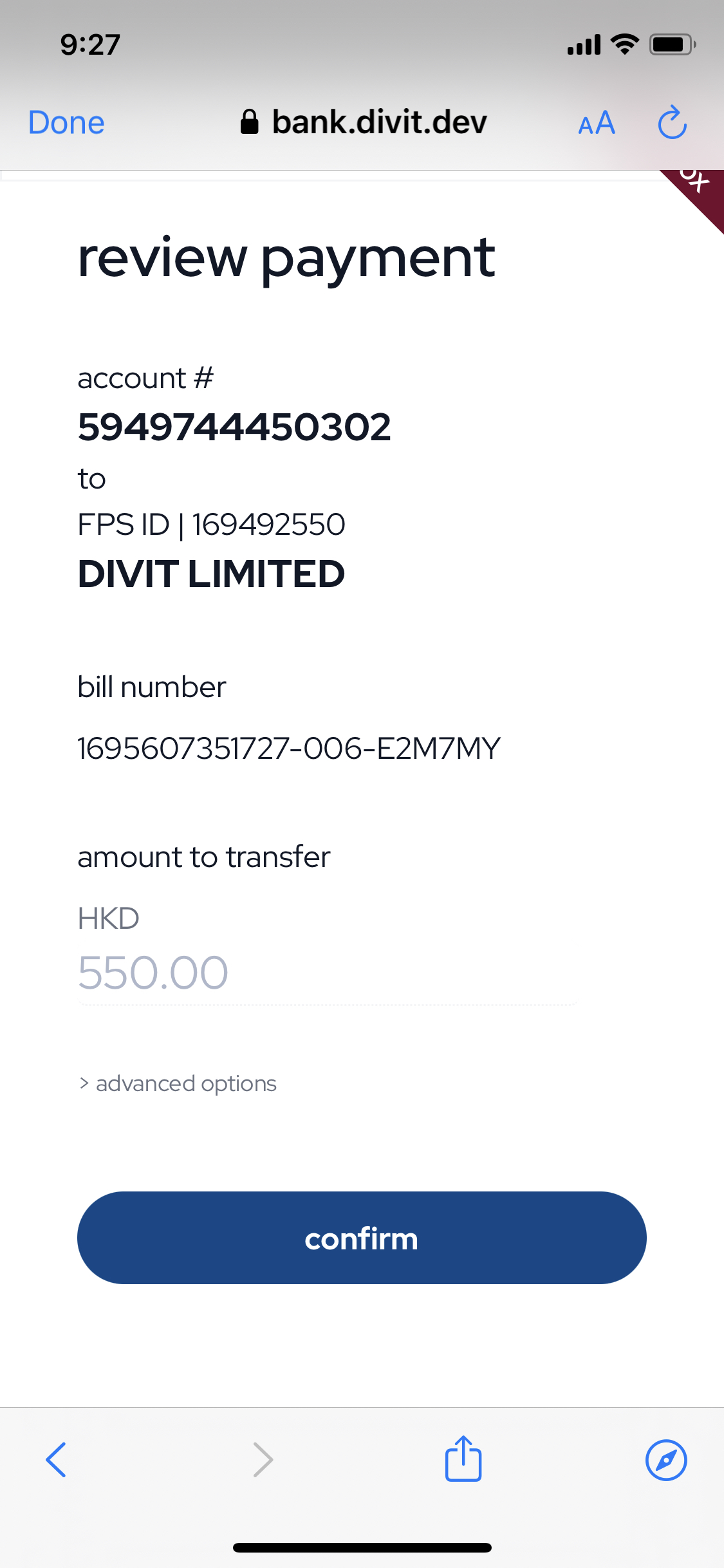
- tap "confirm" to authorize the simulation.
step 4: webhook dispatched
upon confirmation, our sandbox gateway instantly posts a cryptographically-signed event payload to your configured webhookEvents URL:
POST /divit HTTP/1.1
Host: your-webhook-endpoint.com
Content-Type: application/json
X-Divit-Signature: t=1665119487,s1=T2TzkjYFjTbtDIDtMrxV3LzVVOmBlRYF6pRLaEpV/fg=

{
  "event": {
    "eventId": 2001,
    "eventDescription": "Order payment completed successfully"
  },
  "eventData": {
    "OrderID": "0f5918cb-d568-4e22-a58e-d9ae1dd6d9e",
    "OrderAmount": {
      "amount": 52000,
      "currency": "HKD"
    },
    "MerchantRef": "SANDBOX-REF-001"
  }
}
verify this request signature according to our webhook verification guide. if verified, proceed with order fulfillment.
step 5: redirection back to merchant storefront
once the simulation completes:
- on success: the checkout screen redirects the buyer back to your designated
webhookSuccessURL. - on failure / cancellation: the buyer is redirected back to your
webhookFailureURL.