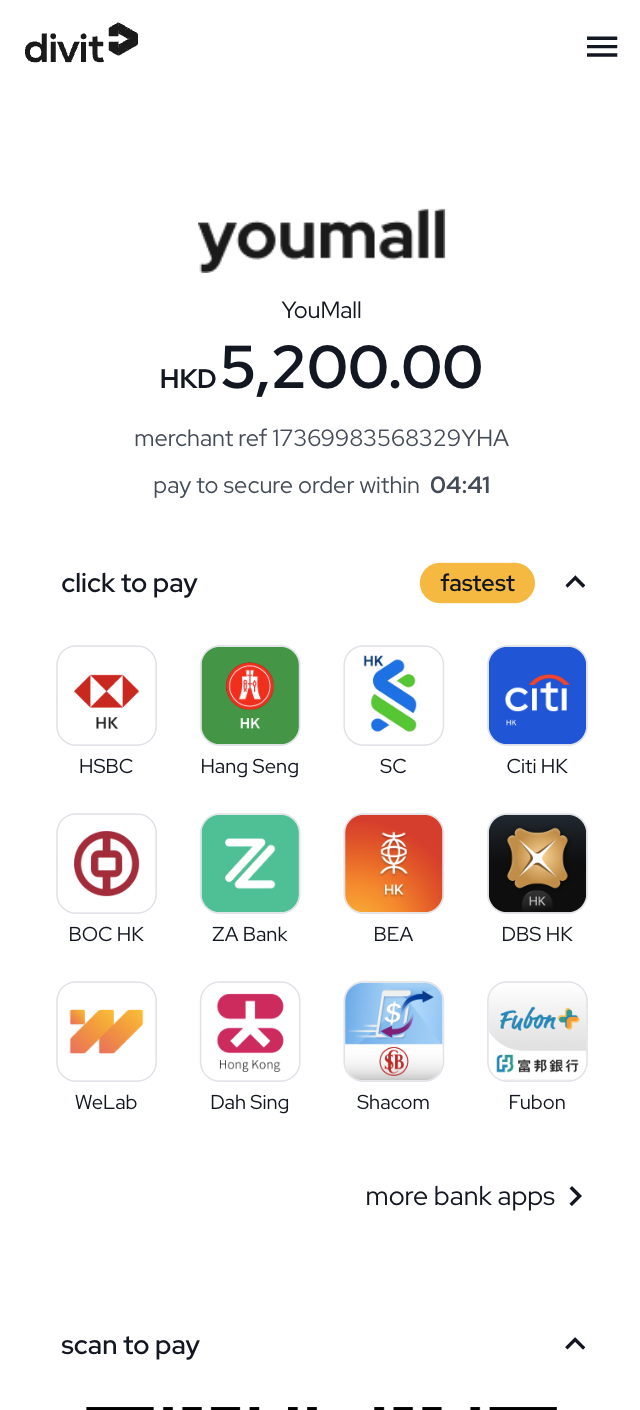
customer payment screen UI
after the order is created, redirect your customer directly to the returned redirectURI.
your customer will see the payment screen as follows:
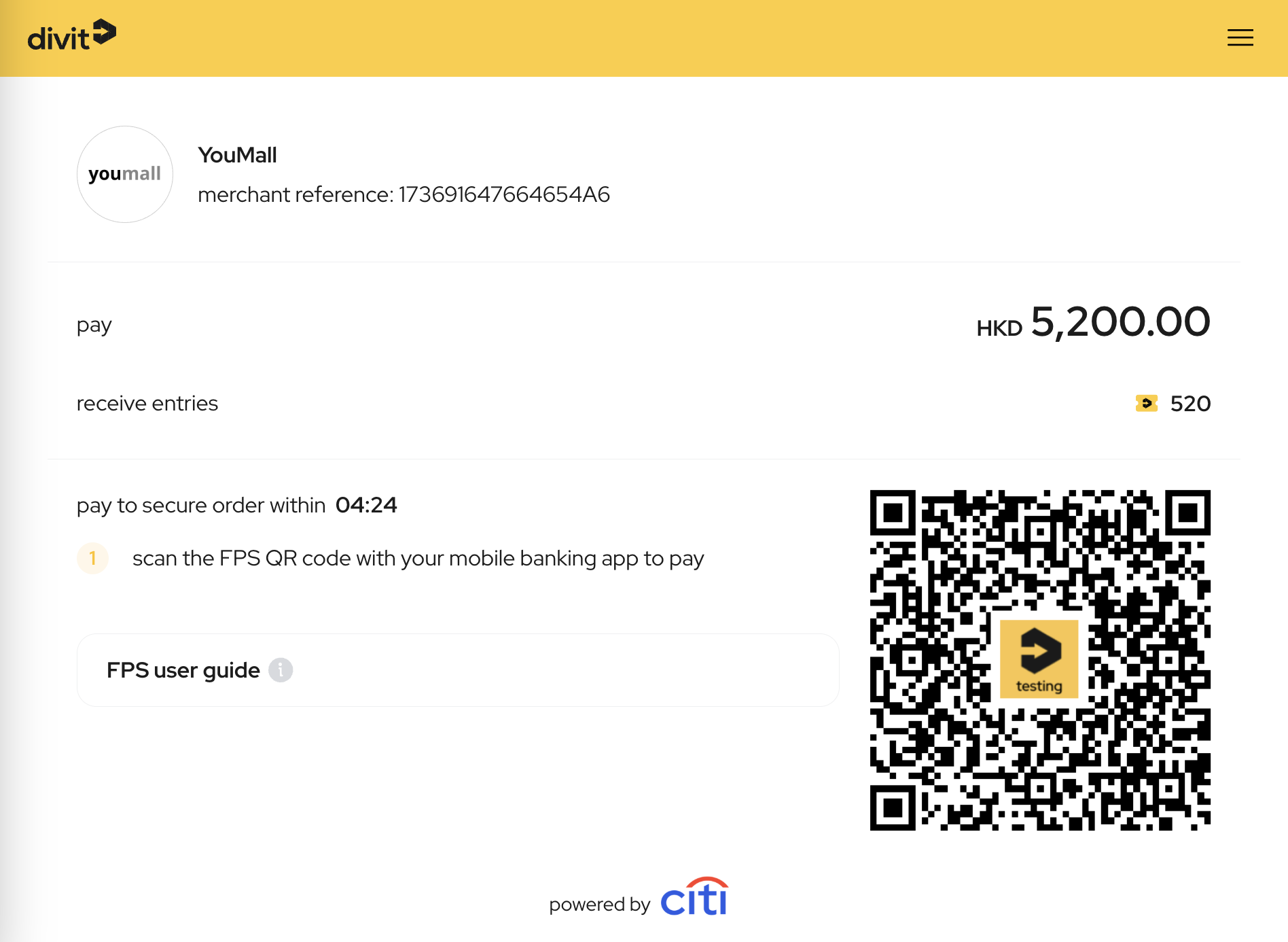
your customer can simply open their banking app and scan the FPS QR code to complete the payment. here are some sample screen captures from different banking apps: https://divit.com.hk/customer/fps-guide/
for mobile web users, the divit payment screen offers a "click to pay" function where your customer can tap on the bank app icon to automatically open their bank's app and make the payment.